|
|
|

Setting up your e-mail client to accept e-mail from your domain name |
|
|
1. |
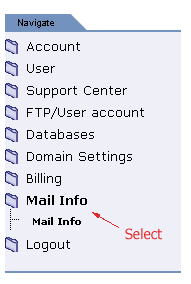
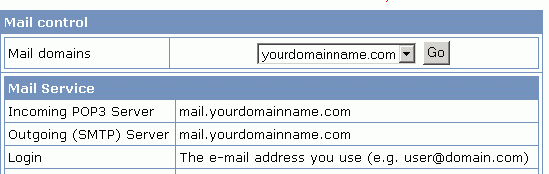
Depending on your client type, there are several pieces of information that you must supply. All of the necessary information can be found in your control panel under MAIL INFO. |
|
|
|
|
|
|
|
|
Your e-mail client will normally require: |
|
2. |
Other e-mail settings: |
|
|
Incoming Server (POP3) port number = 110 |
|
|
Outgoing Server (SMTP) port number = 25 |
|
|
Your outgoing mail server requires authentication and has the same settings
as the incoming mail server. |